🚨 SCAM ALERT: The “QuickLens” Hijack – Why Your Browser is a Web3 War Zone
The illusion of security in Web3 often shatters not on the blockchain, but right inside your web browser.
While the industry fixates on smart contract audits, attackers are quietly compromising the very tools we use to access the internet. Cybersecurity researchers have just confirmed a massive supply chain attack involving a once-trusted Google Chrome extension called “QuickLens.”
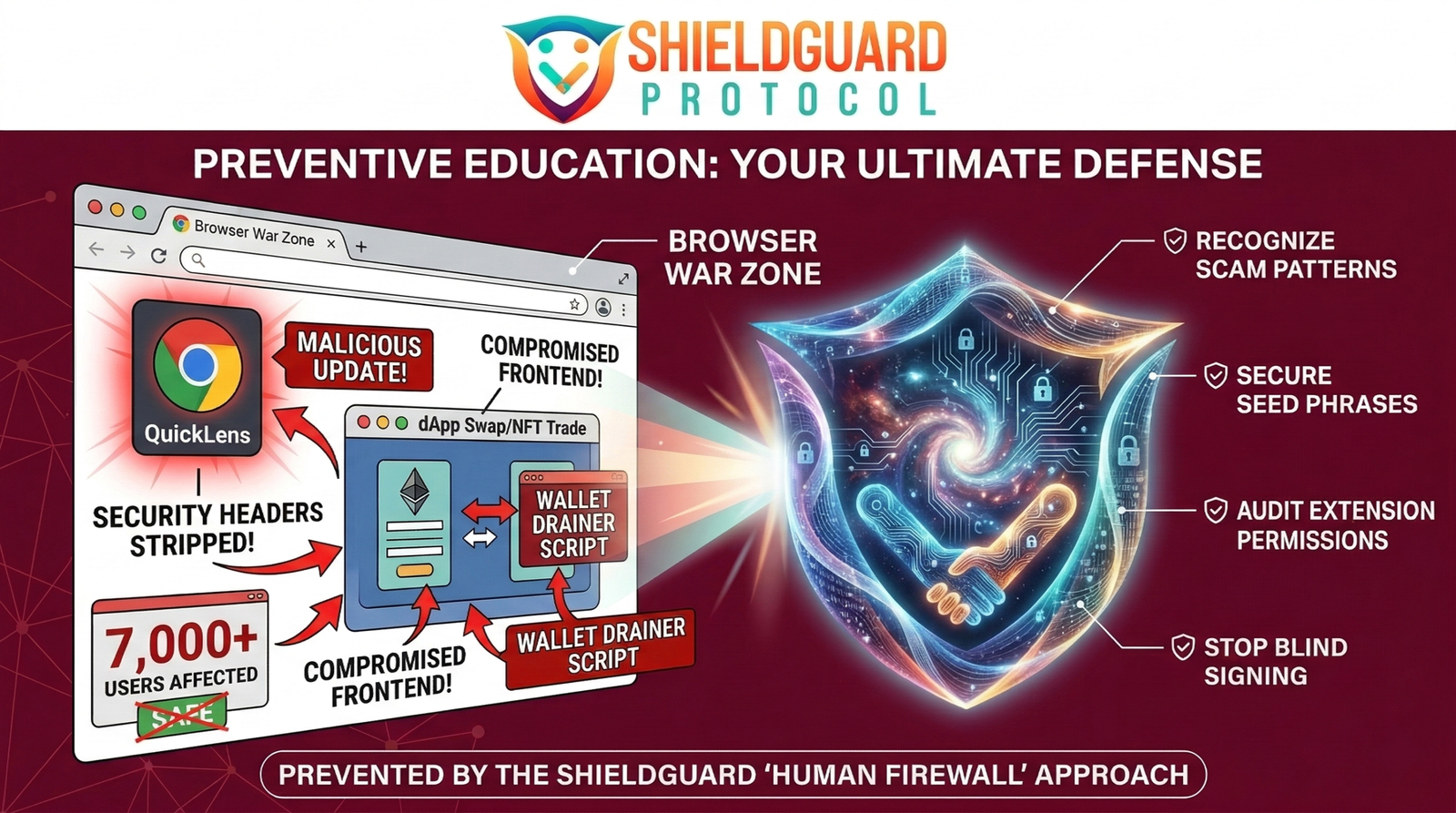
Here is the ShieldGuard Protocol breakdown of how a verified extension with over 7,000 active users was transformed into a silent wallet assassin, and how you can fortify your browser against these invisible threats.
The Incident: The Trojan Update
The QuickLens hijack is a textbook example of a Web2 supply chain failure being weaponized against Web3 users. The attackers didn’t need to trick users into downloading a new, suspicious file; they simply poisoned a tool that users already trusted.
- The Takeover: Threat actors compromised the developer account behind QuickLens, allowing them to push a malicious update directly to the Chrome Web Store. For existing users, this update happened silently in the background.
- The Vector (“ClickFix” & Drainers): Once the infected update went live, the extension deployed sophisticated “ClickFix” attacks. It actively stripped security headers (like Content Security Policy) from every webpage the user visited.
- The Execution: With the browser’s defenses lowered, the malware began hunting for cryptocurrency wallet seed phrases stored in the browser’s memory. Even worse, it actively injected wallet-drainer scripts into legitimate Web3 frontends (like decentralized exchanges or NFT marketplaces).
The ShieldGuard Angle: The Web2 Vulnerability
When an attack like this happens, the user believes they are interacting with a safe, verified dApp. The URL is correct, and the smart contract is secure. But because the browser itself is compromised, the transaction presented to the user’s wallet is secretly swapped for a drainer contract.
This incident proves that trusting a standard web browser—cluttered with random productivity tools, ad blockers, and screen capture extensions—with your crypto operations is a massive vulnerability. Your security is only as strong as the weakest extension you have installed.
The Defense Protocol: Securing Your Browser Environment
To protect your assets from supply chain extension hijacks, you must build a strict “Human Firewall” around your Web3 activities. Here are the non-negotiable rules for browser hygiene:
1. Implement Browser Compartmentalization Never use your daily-driver web browser (the one you use for YouTube, shopping, and random downloads) for Web3 transactions. Create a dedicated, clean browser profile—or use an entirely separate browser like Brave or a fresh Chrome install—strictly for crypto.
2. The “Zero Extension” Rule On your dedicated crypto browser, install absolutely nothing except your Web3 wallet (e.g., MetaMask, Phantom). No ad blockers, no grammar checkers, no screen recorders. Every additional extension is a potential backdoor to your wallet.
3. Rely on Hardware Wallets A software wallet extension is vulnerable if the browser environment is compromised. By pairing your software wallet with a hardware wallet (like a Ledger or Trezor), the private keys remain completely air-gapped. Even if a malicious extension alters the transaction on your screen, the hardware wallet will display the actual malicious contract address before you physically sign it.
4. Audit Your Permissions Regularly audit your Chrome/Brave extensions. If an extension requires the permission to “Read and change all your data on all websites,” treat it as a critical security threat.
Empowering the Human Firewall At ShieldGuard Protocol, we know that true digital sovereignty requires operational security at every level. We are building the infrastructure and educational frameworks to ensure you never have to blindly trust a Web2 interface again.