🛡️ ShieldGuard Learn: The “Bookmark of Death” Topic: Browser Security & Social Engineering
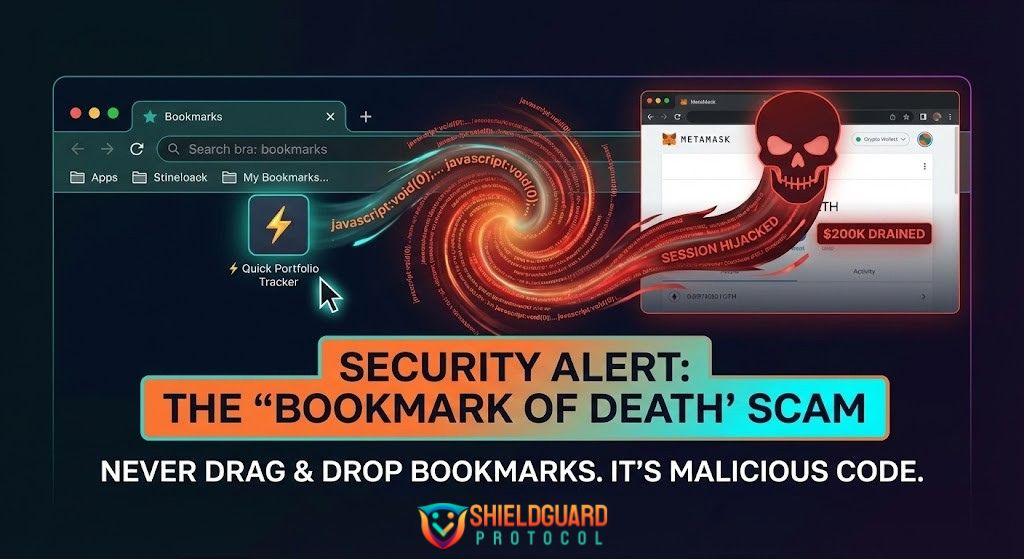
⚠️ The Threat: A trader recently lost $200,000 without signing a transaction or sharing their seed phrase. The culprit? A “useful tool” they saved to their bookmarks bar. This is the Bookmarklet Scam, and it is draining wallets by reviving an old 90s web trick.
🕵️♂️ How the Scam Works:
- The Bait: You find a tool promising “Instant Portfolio Analytics,” “Whale Tracking,” or “Discord Verification.”
- The Trap: instead of installing an extension, the site asks you to “Drag this Button to your Bookmarks Bar” for quick access.
- The Payload: The button isn’t a link; it’s a snippet of malicious JavaScript (
javascript:void...). - The Attack: The moment you click that bookmark while on a target site (like a DEX or Web Wallet), the script activates. It can:
Hijack your session cookies (bypassing 2FA).
- Inject a fake “Metamask Pop-up” to trick you into signing a drainer.
- Read sensitive data displayed on your screen.
🛡️ ShieldGuard Protocol: 3 Rules to Stay Safe
1. The “No-Drag” Rule NEVER drag a button or link to your bookmarks bar. Real bookmarks are static URLs. If a site asks you to “drag to install,” it is 100% a scam trying to run a script.
2. Audit Your Bookmarks Right-click your crypto bookmarks. If the URL starts with javascript:, DELETE IT IMMEDIATELY.
- Safe:
https://uniswap.org - Danger:
javascript:(function(){...
3. Isolate Your Environment Use a dedicated browser profile (e.g., Brave or Chrome “Crypto” Profile) strictly for trading. Do not browse social media, check emails, or click “cool tools” in this profile.
💡 ShieldGuard Pro Tip: If you need a portfolio tracker, only use verified dashboards (Debank, Arkham, Zerion) via their official URLs. Shortcuts are convenient, but they are also the fastest way to zero.
Share this to save a wallet. 🛡️ #ShieldGuard #CryptoSecurity #ScamAlert #Web3Safety