🛡️ ShieldGuard Learn: Scam Prevention & Education Guidelines
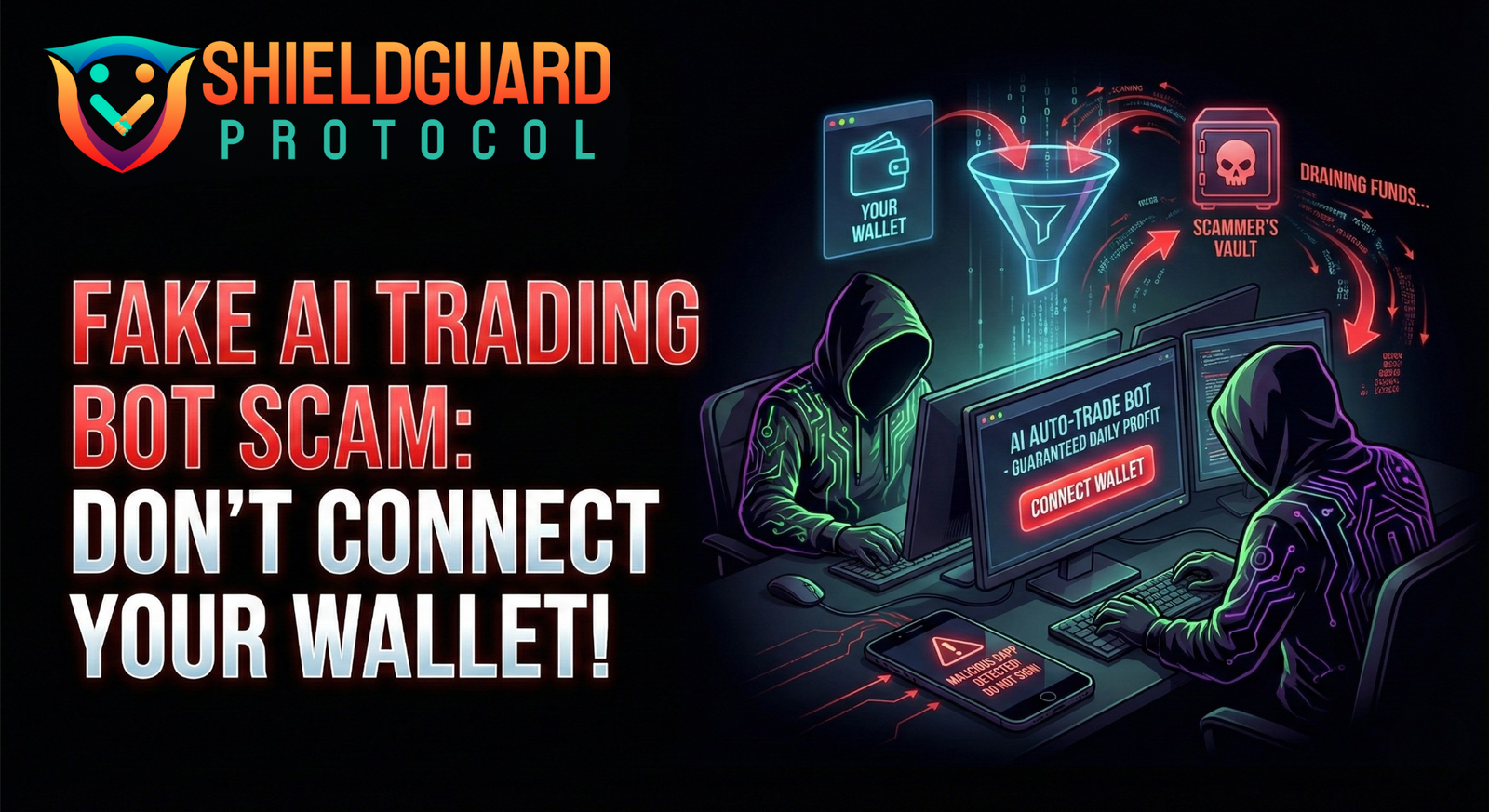
🚨 Deep Dive: The “Auto-Trade” Bot Scam
Everyone wants passive income. Scammers know this, and they have built sophisticated traps disguised as “Automated Trading Bots” or “AI Snipers” to exploit it.
These scams don’t just fail to make money; they are designed to drain your entire wallet the moment you connect.
Here is the ShieldGuard analysis of how this scam works and the critical guidelines to keep your funds safe.
1. The Anatomy of the Scam
The “Fake Trading Bot” scam relies on creating a false sense of legitimacy and community.
- The Bait: Scammers launch a professional-looking Discord or Telegram server. They flood it with thousands of fake bot members to make the community look huge and active.
- The Hook: They advertise a “proprietary AI bot” or “sniper bot” that claims to generate guaranteed daily profits on autopilot. They post fake screenshots of massive gains to induce FOMO (Fear Of Missing Out).
- The Trap: To use the bot, you are asked to “Connect Your Wallet” to their dApp.
- The Attack: The moment you connect and sign the transaction, you aren’t logging in. You are unknowingly signing a “Malicious Smart Contract” (often a
SetApprovalForAllfunction) that gives the scammer’s contract permission to move all your tokens. - The Drain: Your wallet is emptied instantly. When you complain, “support” (the scammers) will often blame you, claim you didn’t deposit enough, or ban you immediately.
2. Red Flags: How to Spot a Fake Bot
- Direct Wallet Connection: 🚩 CRITICAL RED FLAG. Legitimate trading bots (like 3Commas or others) typically connect to exchanges via API Keys, NOT by asking you to connect your DeFi wallet (Metamask/Trust Wallet) directly to a dApp.
- “Guaranteed” Profits: In crypto, nothing is guaranteed. Any service promising fixed daily/weekly returns is a scam.
- Fake Community: Look closely at the Discord/Telegram members. Do they have generic names? Do they only post hype memes (“LFG!”, “To the moon!”)? These are bot armies.
- Aggressive/Rude Support: Scammers often become hostile or dismissive when questioned, using psychological pressure to make you feel like you made the mistake.
🛡️ ShieldGuard Guidelines: Defending Against Bot Scams
1. The “Read Only” Rule
- Guideline: Never grant “spending” permissions to a trading bot dApp.
- Action: If a dApp asks you to “Approve” a token (USDT, ETH, etc.) for an unlimited amount, REJECT IT. This is the key to your wallet.
2. API Keys > Wallet Connect
- Guideline: For automated trading, favor platforms that use API Keys with restricted permissions.
- Action: When setting up an API key, NEVER enable the “Withdrawal” permission. Only enable “Trade” or “Read” permissions. This ensures the bot can trade for you but cannot steal your funds.
3. Use a “Burner” Wallet
- Guideline: Never connect your main holdings wallet (your “Vault”) to any new dApp or bot.
- Action: Create a separate “Burner Wallet.” Only transfer the small amount you are willing to risk for that specific experiment. If the dApp is malicious, your main funds remain safe.
4. Verify the Contract
- Guideline: Don’t trust; verify.
- Action: Use tools like Revoke.cash or Etherscan to check what permissions you have granted to your wallet. Regularly revoke permissions for old or unused dApps.
🚨 What to Do If You Connected to a Scam Bot
- Revoke Permissions Immediately: Go to a trusted tool like Revoke.cash, connect your wallet, and revoke all allowances granted to the malicious contract.
- Move Remaining Funds: If any funds are left, transfer them to a fresh, secure wallet immediately.
- Disconnect: Remove the dApp from your “Connected Sites” list in your wallet settings.
- Report: Report the Discord server or Telegram channel to the platform to help protect others.
Lesson: Automation is powerful, but it requires extreme caution. If a bot requires full wallet access to “trade for you,” it is almost certainly a drainer. Trust code, not promises.