Report: The “Zero-Click” Android Exploit – A Silent Threat to Mobile Wallets
Category: ShieldGuard Learn / Scam Prevention & Education
Urgency: 🔴 Critical (Update Required Immediately)
Executive Summary
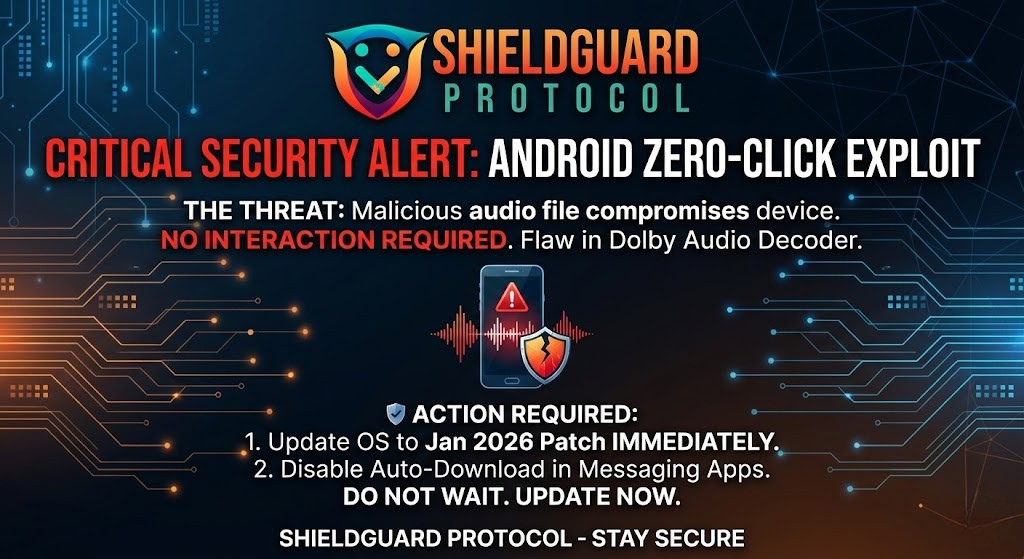
A severe security vulnerability has been discovered in the Android operating system, specifically affecting Google Pixel 9 and other high-end Android devices. The exploit is classified as “Zero-Click,” meaning attackers can compromise a device without the user ever touching a link or opening a file.
For crypto users who rely on mobile wallets (like MetaMask, Trust Wallet, or Phantom) or mobile-based 2FA (Google Authenticator), this vulnerability poses a direct threat to fund security.
1. What is a “Zero-Click” Exploit?
Most scams require “user interaction”—you have to click a phishing link, download a bad app, or sign a malicious transaction.
A Zero-Click exploit requires no interaction.
The attacker does not need to trick you. They simply need your phone number or messaging handle. Once the malicious payload is delivered to your device, the hack executes automatically in the background.
2. The Mechanics: The “Dolby Decoder” Flaw
This specific vulnerability resides in the Dolby Audio Decoder, a core component of the Android operating system used to process sound files.
How the Attack Works:
- The Delivery: An attacker sends a specially crafted, malicious audio file to your phone via SMS, WhatsApp, Telegram, or any other messaging app.
- The Processing: Your phone’s operating system automatically attempts to “read” the file to prepare it for playback (even if you haven’t opened the message yet).
- The Execution: As the Dolby decoder processes the file header, it triggers a memory corruption flaw.
- The Takeover: This grants the attacker “Remote Code Execution” (RCE) rights, allowing them to run commands on your device without your permission.
3. The Risk to Crypto Assets
While this exploit targets the phone’s OS, the implications for crypto security are catastrophic. Once an attacker has code execution rights, they can attempt to escalate privileges to the “Kernel” (the core of the phone).
If successful, an attacker could:
- Access Keystores: potentially reading encrypted data or private keys stored in software wallets.
- Intercept 2FA: Read SMS verification codes or access 2FA authenticator apps in real-time.
- Monitor Input: Log keystrokes to steal passwords as you type them.
4. Preventive Education: How to Defend Yourself
The good news is that this is a software vulnerability, not a hardware failure. It can be fixed with a patch.
Immediate Action Steps:
- Update Your OS Now:
Google released a security patch for this specific issue on January 6, 2026.
Go to Settings > System > Software Update.
If an update is available, install it immediately. Do not wait for “automatic updates” to kick in.
- Disable “Auto-Download” in Messaging Apps:
Until you are patched, stop your apps from automatically processing media files.
WhatsApp: Settings > Storage and Data > Media Auto-Download > Turn OFF for all network types.
Telegram: Settings > Data and Storage > Turn OFF “Automatic Media Download.”
- Reboot Regularly:
Some mobile exploits are “non-persistent,” meaning they are wiped when the phone turns off. Rebooting your phone once a day is a healthy security habit.
5. ShieldGuard’s Stance: Mobile Hygiene is Critical
We often focus on protecting our seed phrases, but we forget to protect the device that holds them. A compromised phone renders even the best wallet security useless.
Rule of Thumb: If your mobile device is holding significant crypto assets, it must be treated as a security hardware key, not just a phone. Keep it updated, keep it clean, and never ignore a security patch.
Conclusion
This exploit is a reminder that the “attack surface” in crypto is wider than just your wallet.
Check for updates today. A 5-minute update could save your entire portfolio.
Stay Secured.
For real-time alerts on mobile vulnerabilities, follow ShieldGuard Protocol on X.