ShieldGuard Alert: Why Typing the Correct URL Might No Longer Save You
We have always told you: “Don’t click links. Type the URL manually.”
As of January 2026, scammers have found a way to break even that rule.
The New Threat: Browser History Poisoning
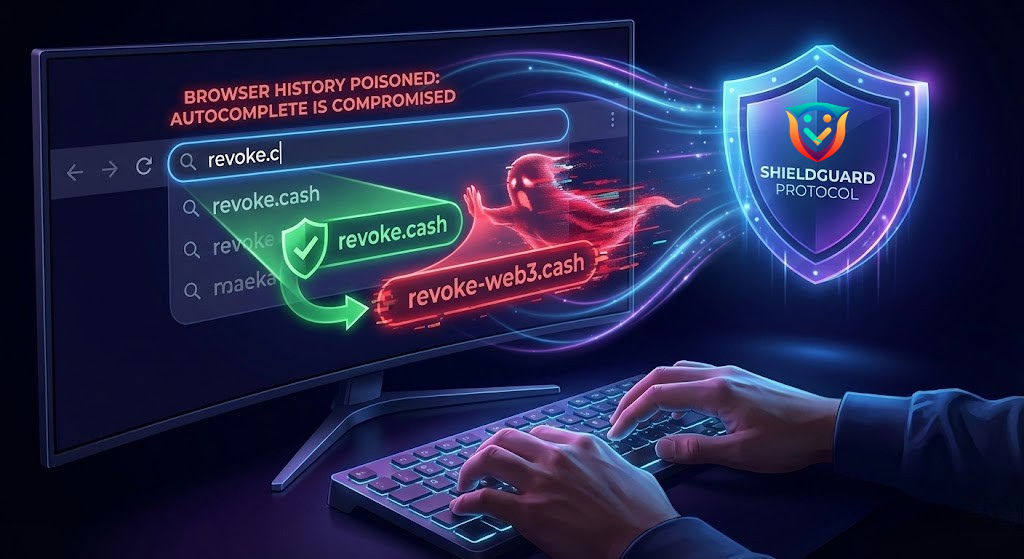
Security firms have detected a new wave of attacks where scammers “pollute” your browser’s history via malicious ads or background scripts.7
The Trap:
- You start typing
OpenSea...orRevoke...into your browser bar. - Your browser’s Autocomplete suggests a link you think you visited before.
- You hit Enter.
- You land on a phishing site that looks identical to the real one.
You didn’t click a bad link. You trusted your own browser’s memory—and it lied to you.
How to Shield Yourself:
- Clear History: Regularly clear your browser cache and history, especially if you browse crypto Twitter/X.
- Bookmarks Only: Do not type. Do not Google. Use a dedicated “Crypto Folder” in your bookmarks bar for every exchange and dApp.
Why This Matters: Today’s security threats, like browser history poisoning, bypass traditional defenses. You cannot rely on habit; you need a shield. ShieldGuard Protocol is not just an educational platform—we are building the ecosystem that automates your safety.
What’s Next? In Q1 2026, we will activate the ShieldGuard Mobile App, designed to detect and block invisible redirects and malicious signatures before they touch your wallet.
🛡️ Join the Revolution:
- The Ecosystem: ShieldGuard Learn | ShieldDrop | ShieldLabs
- The Token: Public Sale for $SHPRO is LIVE. Secure your spot before 2026 TGE.
- Official Link: https://shieldguard.io/