The “Win + R” Verification Scam
Risk Level: 🔴 Critical
Vector: Telegram Channels, Discord, Phishing Websites
Goal: Total System Compromise & Crypto Wallet Theft
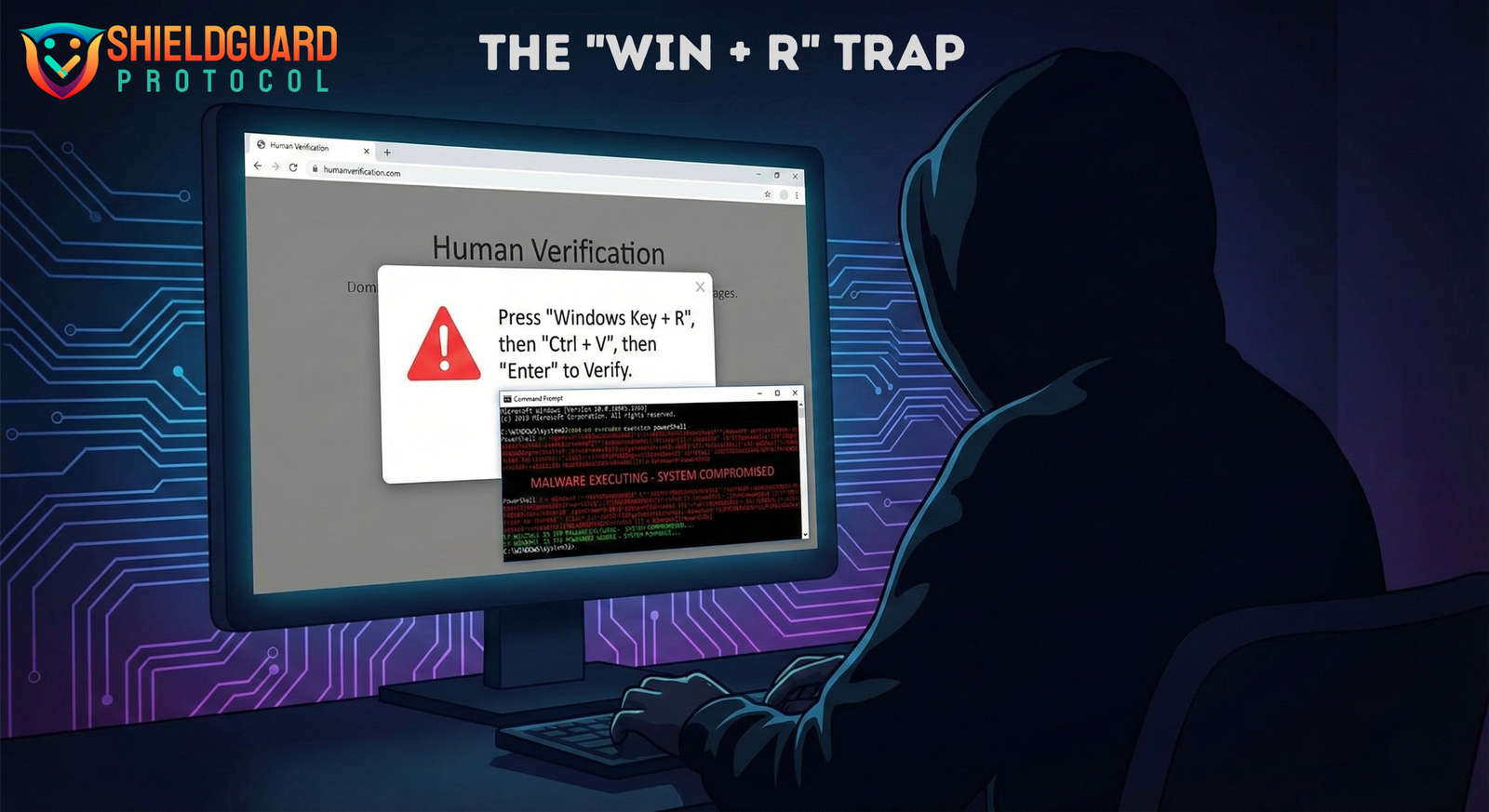
A highly dangerous social engineering scam is spreading through Telegram channels and crypto communities. Scammers are tricking users into manually infecting their own computers with malware under the guise of a “human verification” or “CAPTCHA” test.1
This method completely bypasses standard antivirus protections because you are the one executing the command.
1. How the Scam Works
The attack relies on confusion and conditioned behavior. Most users are used to clicking “I am not a robot.” This scam weaponizes that habit.2
Phase 1: The Lure (Telegram)
- You join a new Telegram group for an airdrop, exclusive alpha, or trading signal.
- A bot or admin sends a link claiming you must “verify” your human status to view the content or join the chat.
- The Trap: The link takes you to a fake website that looks like a legitimate Cloudflare or Google verification page.
Phase 2: The “Clipboard” Trick
- The webpage displays a fake error message or a broken CAPTCHA image.
- It instructs you to perform a specific “fix” to verify yourself:
“Press Windows Key + R” (This opens the Windows ‘Run’ dialog).3
1.”Press Ctrl + V” (This pastes text from your clipboard).4
“Press Enter.”
2.The Secret: The moment you opened that webpage, a malicious script automatically copied a dangerous code string to your clipboard. You didn’t copy it—the site did.
Phase 3: The Infection
- When you paste and hit Enter, you aren’t verifying anything. You are running a PowerShell script.5
- This script immediately downloads and installs malware (often Lumma Stealer, RedLine, or NetSupport RAT) in the background.6
- Result: The hacker gains full remote control of your PC and scrapes your browser for saved passwords, session cookies, and crypto wallet private keys.7
2. Why This is Dangerous
- Bypasses “SmartScreen”: Because you are using the built-in Windows “Run” tool, you are effectively telling your computer, “I authorize this command.”
- Invisible Execution: The malware often installs silently.8 You might see a small command window flash for a split second, and then nothing. You think the verification failed, but your PC is already infected.
- Targeted at Crypto: These specific malware strains are designed to hunt for MetaMask, Phantom, Exodus, and other wallet data immediately.
🛡️ ShieldGuard Security Guidelines
Rule #1: “Win + R” = DANGER
NEVER press Win + R at the request of a website, bot, or support agent.
- Fact Check: There is zero legitimate technical reason for a website to ask you to open the Windows Run dialog for “verification.”9 Legitimate CAPTCHAs (like selecting traffic lights) run entirely inside your browser.
Rule #2: The Clipboard Test
If a site asks you to paste something to “verify,” paste it into Notepad first to see what it is.
- You will likely see a long, confusing string of code starting with
powershell,cmd, ormshta. 10This is a virus.
Rule #3: Isolate Your Trading Machine
Do not use your primary crypto trading computer for clicking random Telegram links or hunting for airdrops.
- Use a separate, “burner” device or a virtual machine for exploring unverified projects.
🚨 What to Do If You Pressed “Enter”
If you have fallen for this scam, assume your entire PC is compromised.
- Disconnect Immediately: Unplug your ethernet cable or turn off Wi-Fi to stop the malware from sending data to the hacker.
- Do NOT Login: Do not try to log into your crypto exchanges or wallets on that machine. The hacker is likely keylogging you.
- Transfer Funds (From a Clean Device): Use a different phone or computer to transfer your funds to a safe wallet immediately.
- Factory Reset: Antivirus often cannot fully remove these sophisticated scripts. The safest option is to completely wipe (format) your computer and reinstall Windows.
- Revoke Sessions: Once clean, change all your passwords and “Force Logout” all sessions for your email, Discord, and Telegram.
ShieldGuard Learn is dedicated to empowering you with knowledge. Stay vigilant, question every instruction, and protect your digital assets.