Title: 🚨 SECURITY ALERT: The “Snail Mail” Hardware Wallet Phishing Campaign
Severity: Critical (Physical-to-Digital Bridge Threat) Active Vector: Physical Letters, Spoofed QR Codes, Fake Authentication Domains
Target Audience: Hardware Wallet Owners (Trezor & Ledger), Web3 Investors, Protocol Treasuries
Executive Summary
Cybercriminals have officially escalated their tactics from the digital realm to physical, real-world attacks. Threat intelligence feeds have just confirmed a massive, highly sophisticated phishing campaign targeting the home addresses of Trezor and Ledger hardware wallet users via traditional snail mail.
This is a terrifying evolution in Web3 crime. Crypto users are rigorously trained to spot malicious emails and bad links, but a physical letter printed on heavy corporate cardstock bypasses traditional digital paranoia. By exploiting physical addresses leaked in previous eCommerce data breaches (such as the massive Ledger breach of 2020), attackers are dodging digital spam filters entirely and delivering the threat directly to your mailbox.
The Anatomy of the Physical Mail Attack
This campaign weaponizes physical authority to execute a digital wallet drain. Here is the exact playbook scammers are using right now:
Stage 1: The Breach Data Exploitation: The attackers are not guessing addresses. They are utilizing verified physical addresses, names, and contact details scraped from historical hardware wallet data breaches to strictly target known crypto holders.
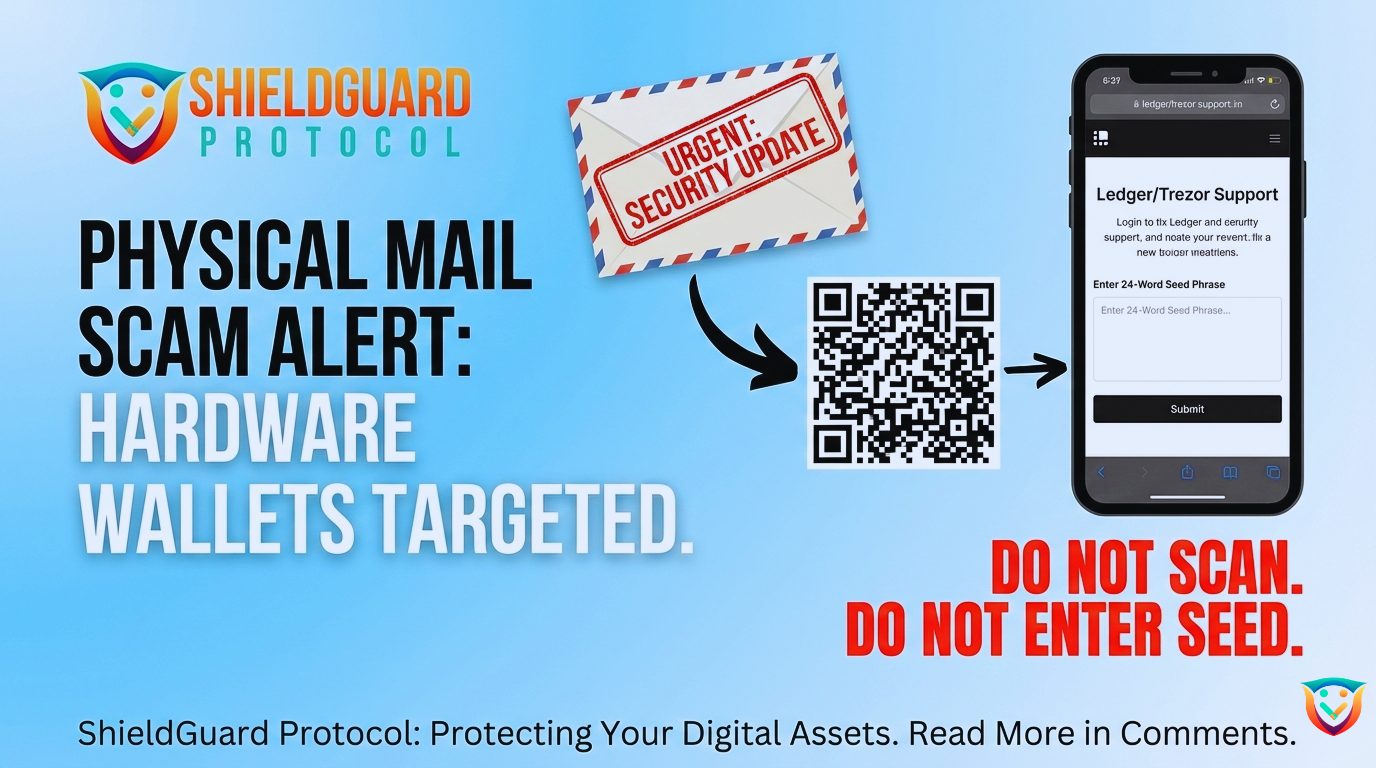
Stage 2: The Corporate Forgery: Victims receive a physical letter in the mail via standard postal services. The letter is a perfect forgery of official Ledger or Trezor corporate branding. The language is highly professional, urgently warning the user of a “Mandatory Authentication Check” or a “Critical Security Update” required to keep their device functional.
Stage 3: The QR Code Trap: To bridge the gap between the physical letter and the digital theft, the document includes a prominent QR code. The letter claims that scanning this code is the only way to comply with the urgent security mandate before a strict deadline.
Stage 4: The Kill Shot (Seed Phrase Extraction): Scanning the QR code redirects the user’s mobile device to a flawless replica of the manufacturer’s website (using typosquatted domains like trezor.authentication-check[.]io). The site immediately prompts the user to enter their 12, 20, or 24-word recovery seed phrase to “verify” the update. If entered, the attacker’s script instantly imports the wallet and drains all assets.
🛡️ ShieldGuard Preventive Education: Hardware OpSec Protocols
To protect your cold storage from physical phishing, implement these mandatory rules immediately:
- Rule 1: The “Zero-Input” Absolute Law: Your hardware wallet manufacturer will never ask for your seed phrase. Your seed phrase is only meant to be entered directly into the physical hardware device itself. If a website, app, or piece of physical mail asks you to type your phrase into a computer or phone, it is a scam. 100% of the time.
- Rule 2: Never Trust Unsolicited QR Codes: QR codes are simply disguised URLs. Treat a QR code on a piece of physical mail with the exact same hostility as a random link in a spam email. If you must check the status of your device or firmware, manually type the official manufacturer’s website address into your browser.
- Rule 3: Audit Your Physical Footprint: If you receive one of these letters, assume your physical address is compromised and circulating on the dark web. Be hyper-vigilant about any future mail, phone calls, or SMS messages claiming to be from crypto services. Consider using a P.O. Box or a registered business address for any future hardware wallet purchases to protect your home location.
The threats are no longer just on your screen. They are in your mailbox. Stay vigilant, verify everything, and never expose your seed. – The ShieldGuard Security Team