Report: The “NexShield” Malware – A Wolf in Ad-Blocker’s Clothing
Category: ShieldGuard Learn / Scam Prevention & Education
Urgency: 🔴 Critical (Active Distribution via Google Ads)
Executive Summary
A new, sophisticated malware campaign is targeting crypto users by posing as a security tool. The malicious browser extension, branded as “NexShield,” markets itself as a “Faster, Safer Ad-Blocker” and is being distributed through legitimate-looking Google Ads and social media campaigns.
Unlike typical phishing scams that rely on you clicking a bad link, this attack installs a backdoor directly onto your operating system, allowing attackers to bypass 2FA, steal session cookies, and drain wallets even without a user signature.
1. The Attack Chain: Anatomy of a Deception
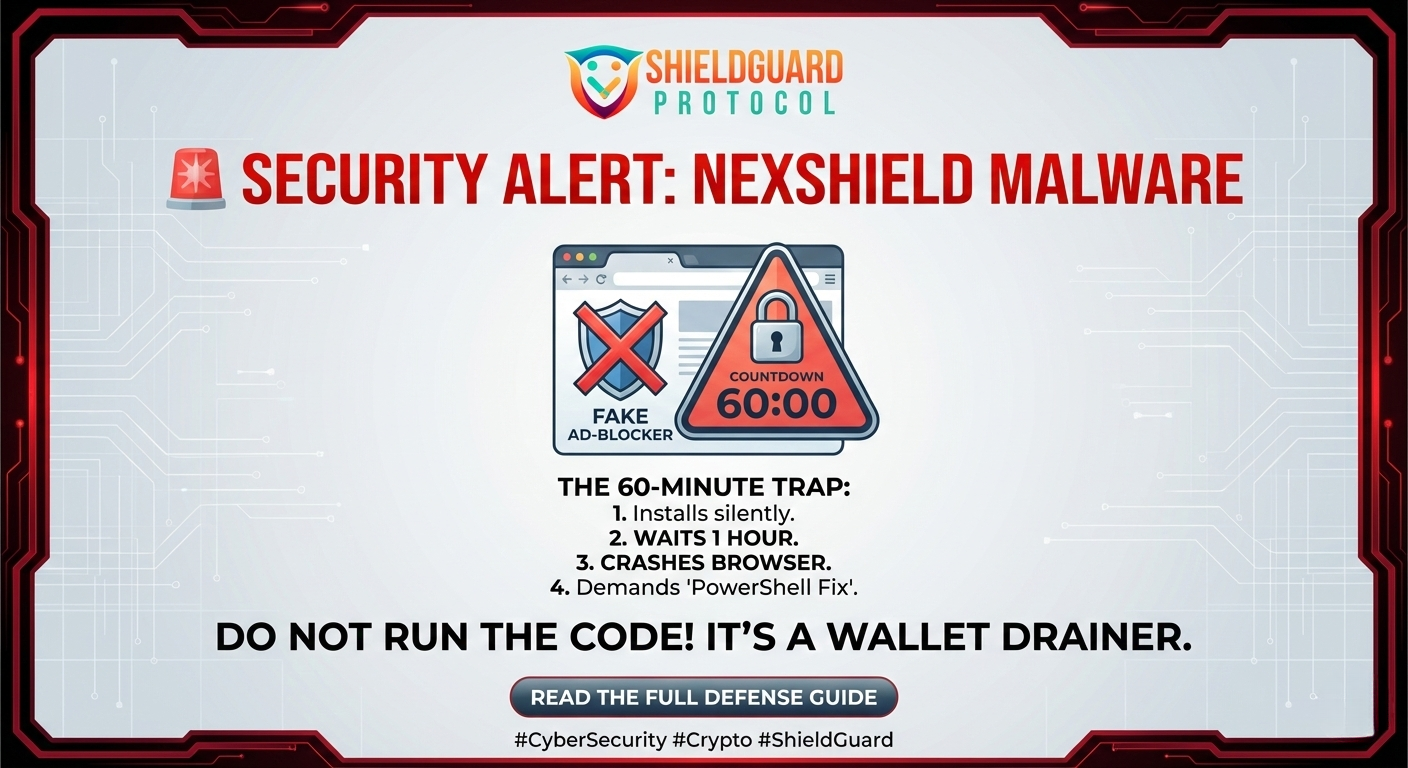
What makes “NexShield” dangerous is not just the code, but the psychology it uses to trick you. It operates in four distinct phases:
Phase 1: The Hook (Legitimacy)
The attackers buy Google Ads for keywords like “Ad Blocker,” “uBlock,” or “Chrome Security.” The “NexShield” landing page looks professional, claiming to be a fork of the popular uBlock Origin Lite. Users install it believing they are upgrading their browser security.
Phase 2: The “Sleeper” Timer (Evasion)
Once installed, the extension does… nothing.
It contains a hardcoded 60-minute delay timer. During this hour, the extension works normally. This is a deliberate tactic to make you “forget” you just installed it, so when the problems start later, you don’t suspect the new extension.
Phase 3: The Induced Panic (Social Engineering)
After 60 minutes, the malware wakes up. It doesn’t steal data yet—instead, it intentionally crashes your browser, causing it to freeze or loop.
A popup appears, pretending to be a “Chrome Support” or “Extension Error” message. It tells you:
“A critical error has occurred. Run this fix command to restore your browser.”
Phase 4: The Payload (Total Compromise)
The “fix” instructs you to copy a command into PowerShell (Windows) or Terminal (Mac).
If you do this, you are not fixing your browser. You are manually authorizing the download of a Remote Access Trojan (RAT) known as ModeloRAT. This gives attackers full control over your PC.
2. The Threat: Why This Bypasses 2FA
Most crypto users rely on 2FA (Two-Factor Authentication) for security. However, “NexShield” targets Session Cookies.
- How it works: When you log into an exchange (like Binance or Coinbase) and click “Remember Me,” a session cookie is stored.
- The Theft: The malware steals this cookie. Attackers can then load it into their own browser and become you. To the exchange, the traffic looks like it’s coming from your already-logged-in computer, bypassing the need for a 2FA code.
3. Preventive Education: How to Stay Safe
The “NexShield” campaign highlights a critical lesson: Extensions are a major security vulnerability.
Defense Guidelines:
- The “PowerShell” Rule:
NEVER copy-paste code into PowerShell, Command Prompt, or Terminal because a webpage or popup told you to. No legitimate browser error requires you to run manual code to fix it.
- Verify Before Install:
Stick to open-source, community-verified extensions (like uBlock Origin by Raymond Hill). Check the publisher’s name and the number of users. If a “new” tool has 5 stars but few reviews, be skeptical.
- Isolate Your Crypto:
Use a dedicated browser profile (or a completely different browser) for crypto transactions. Do not install any extensions on this profile—no ad blockers, no coupon finders, no “productivity tools.”
4. ShieldGuard’s Stance: Zero Trust for Browser Add-ons
At ShieldGuard Protocol, we advocate for Minimalist OpSec. Every extension you install expands your “attack surface.”
Through our ShieldGuard Presale Intel and upcoming mobile app, we are building an ecosystem where security is native, reducing the need for users to rely on unverified third-party browser tools that could turn against them.
Conclusion
If you have installed “NexShield” or any suspicious “Ad Blocker” recently:
- Disconnect your computer from the internet immediately.
- Remove the extension.
- Run a full malware scan (using legitimate antivirus software).
- Reset all passwords and revoke session tokens on your crypto exchanges from a different device.
Security is not about having the most tools; it’s about trusting the right ones.
Found this helpful?
Share this alert to protect your network. Join the ShieldGuard community for real-time threat intelligence.