🛡️ ShieldGuard Learn: The $50M Address Poisoning Attack
Category: UI/UX Exploit / Social Engineering
Risk Level: 🔴 CRITICAL (Irreversible & High Frequency)
Attack Vector: “Vanity Address” Spoofing
🚨 The Incident: A $50 Million Mistake
Date: Detected ~Dec 19-20, 2025 (Reported by Cyvers)
Loss: ~$50,000,000 USDT
Victim Profile: High-Net-Worth Individual / Institution withdrawing from Binance.
The Timeline of the Trap:
- The Real Move: The victim withdrew ~50M USDT from Binance to their wallet.
- The Verification: The victim sent a $50 USDT test transaction to their destination address to verify it was correct. (This is where the scammer struck).
- The Poison: The scammer’s bot detected the test transaction. Within seconds, it generated a “Vanity Address” that looked almost identical to the victim’s destination address (matching the first and last characters) and sent a $0 or tiny token transfer to the victim’s wallet.
- The Fatal Error: 12 minutes later, the victim went to send the remaining $50M. Instead of pasting the address from a secure source, they likely copied the most recent address from their transaction history.
- Result: They selected the poisoned address (the scammer’s) instead of the verified address. The $50M was lost instantly.
⚙️ Anatomy of the Scam: Why It Works
This is not a “hack” of the wallet’s code; it is a hack of the user’s visual attention.
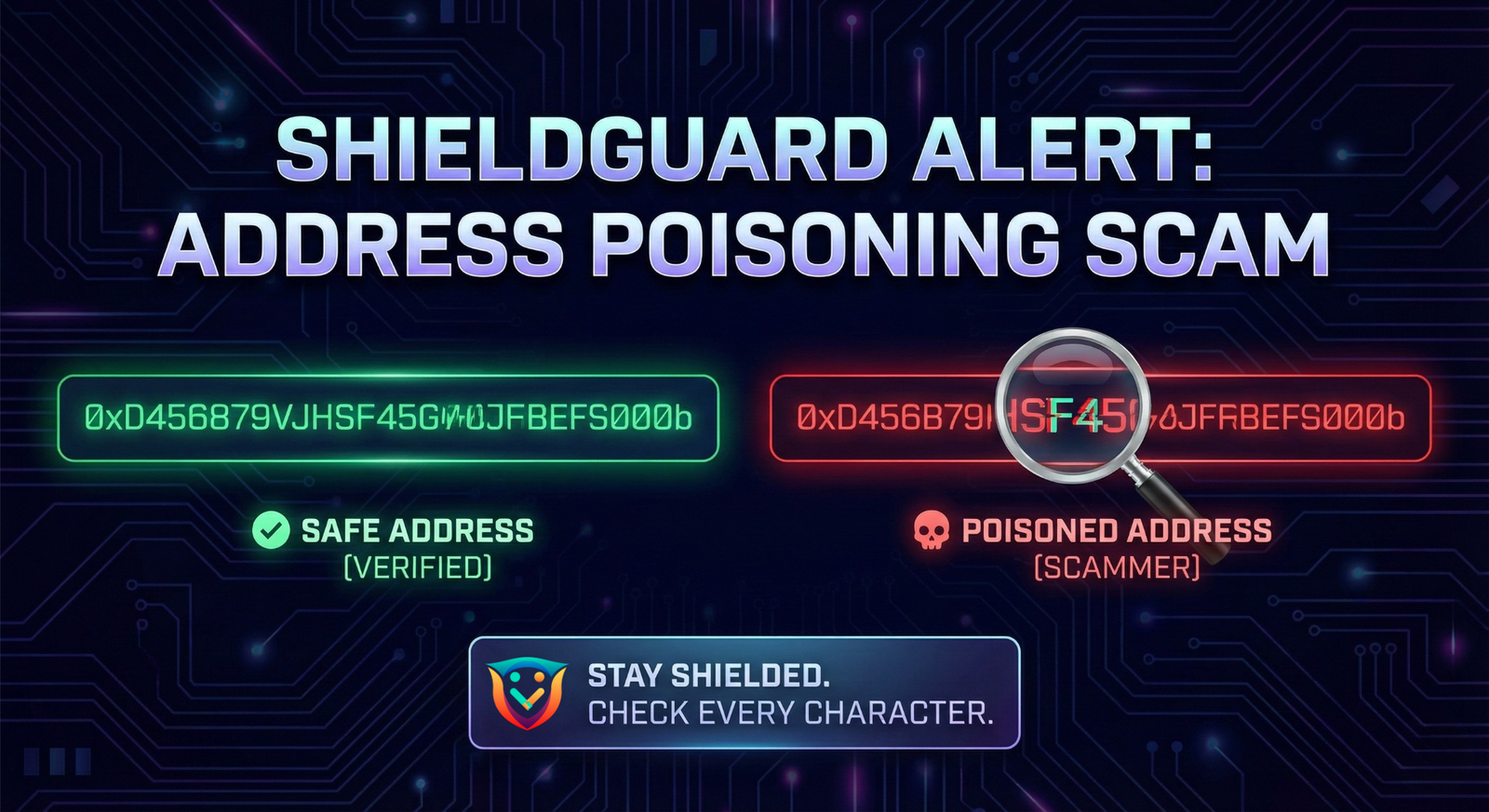
- Vanity Addresses: Scammers use powerful computers to generate addresses that match your specific wallet’s first 4-6 characters and last 4-6 characters.
Real Address: 0x1234...ABCD
Scam Address: 0x1234...ABCD (Middle characters are different)
- The “History” Trap: Most users rely on “Recent Transactions” to copy addresses because it feels safer than typing. Scammers abuse this by inserting their address at the very top of your history list right before you make a big move.
- The “Test Tx” Paradox: The victim did the “right” thing by sending a test transaction. However, the scammer used that exact test transaction as the trigger to poison the history, knowing the victim would come back for the main transfer.
🛡️ ShieldGuard Defense Protocol
1. The “History is Toxic” Rule
NEVER copy and paste an address from your transaction history (Etherscan, MetaMask activity, etc.) for a deposit.
- Why: Your history is a public timeline that anyone can write to. Scammers can spam it with fake entries that look like your own wallets.
- Protocol: Always copy the address from the original source (e.g., the “Deposit” button on the exchange or your hardware wallet display).
2. The “Middle-Man” Check
Most users only check the start and end of an address (e.g., 0x123...ABCD). This is no longer safe.
- Protocol: Check 4 random characters in the middle of the address, or verify the full string.
Visual Hack: Read the address aloud or check the “checksum” (capitalization pattern) if your wallet supports it.
3. The Address Book (Whitelisting)
Stop typing or copying addresses manually for recurring transfers.
- Protocol: Save your safe addresses (Cold Wallet, Binance Deposit, etc.) in your wallet’s “Address Book” or “Contacts” feature.
- Benefit: When you select a saved contact, you eliminate the risk of pasting a poisoned address from the clipboard or history.
4. Hardware Wallet Verification
If you use a Ledger, Trezor, or similar device:
- Protocol: Trust the Device Screen, Not the Computer Screen. Malware or poisoning can change what you see on your monitor. The address on the tiny hardware screen is the only truth.
🔒 ShieldGuard Verdict
The “Test Transaction” is not enough.
The victim correctly verified the destination but failed the execution of the main transfer.
Lesson: In crypto, your eyes are your firewall. If you are moving $50 (or $50M), assume your transaction history is lying to you.