🚨 SCAM ALERT: The “Search Engine” Trap (Malvertising)
Severity: Critical (Active 24/7)
Primary Vector: Google / Bing / DuckDuckGo Search Ads
Target Audience: All Crypto Users (especially Hardware Wallet owners)
Executive Summary
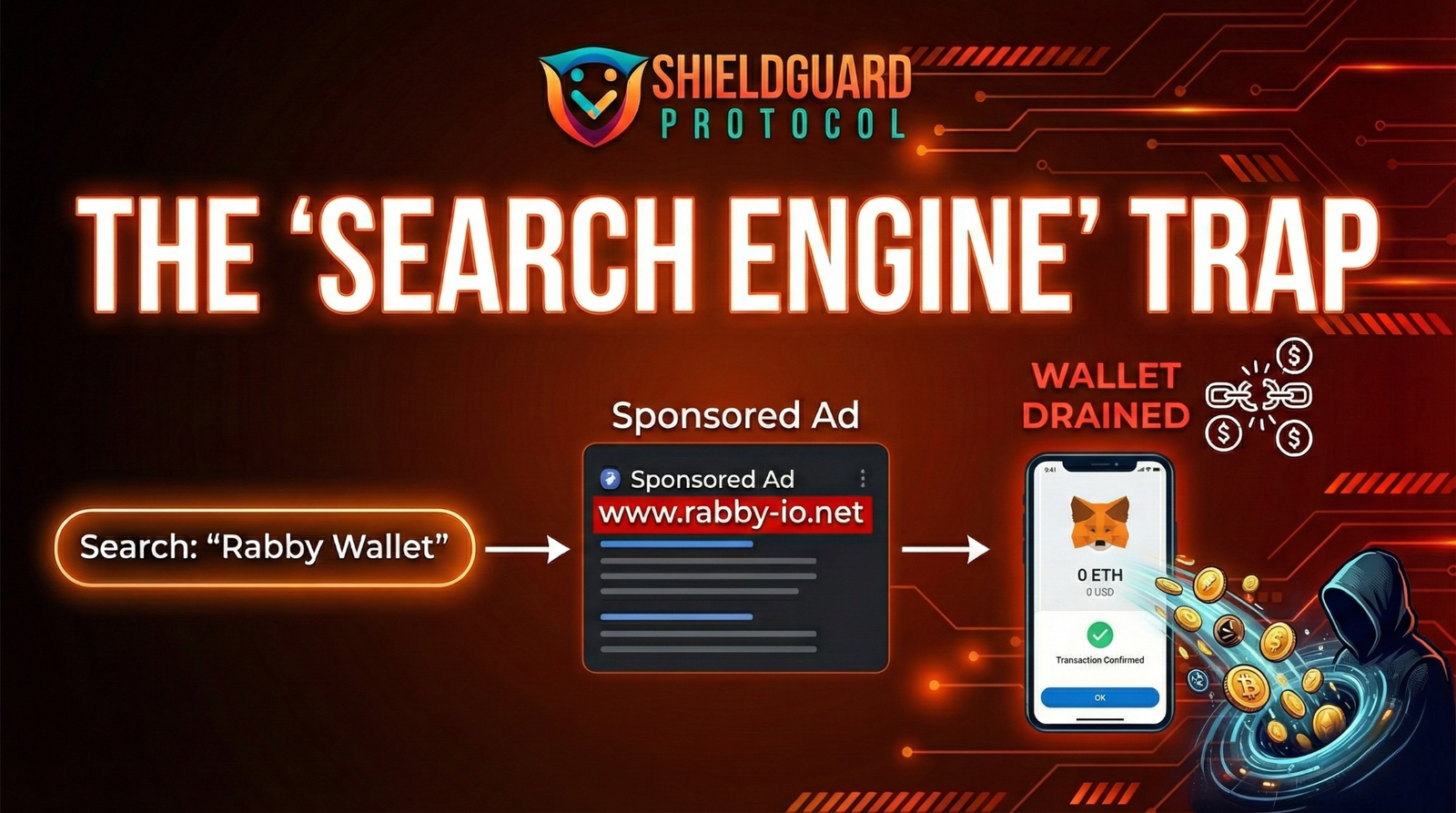
While users fear complex code exploits and hackers, the most successful attack vector in crypto right now is painfully simple: Buying Ads.
Scammers are purchasing “Sponsored” ad slots on Google and Bing for high-volume keywords like “Ledger Live”, “Rabby Wallet”, “Revoke.cash”, and “MetaMask”. These ads appear above the legitimate organic results, leading users to pixel-perfect clone websites designed to drain wallets instantly.
The Reality: You didn’t get “hacked.” You were tricked into opening the front door.
The Anatomy of the Attack
Phase 1: The Setup (Bidding Wars)
Scammers bid high amounts of money to ensure their phishing link appears at the very top of the search results page. They target keywords that suggest urgency or action:
- “Ledger Live Download”
- “Rabby Wallet Extension”
- “Revoke Cash”
- “Claim Airdrop”
Phase 2: The Camouflage (Typosquatting)
The ad looks legitimate. Google even displays the correct URL (e.g., rabby.io) in the ad preview. However, the actual destination link redirects you to a malicious clone.
- Real Domain:
rabby.io - Fake Domain:
rabby-update.net,rabby.l0.site,rabbby.io
Phase 3: The Drain (The “Permit” Signature)
Once you land on the fake site, it looks identical to the real one. You click “Connect Wallet” or “Download App.”
- If Web-Based: The site asks you to sign a transaction. It may look like a “Login” or “Verify” signature, but in the background, it is a
SetApprovalForAllorPermitfunction that gives the attacker access to move your USDC, USDT, or ETH. - If Software-Based: You download a fake version of “Ledger Live” or “Trezor Suite” that asks for your 24-word seed phrase.
🛡️ ShieldGuard Prevention Protocol
To stay safe, you must fundamentally change how you navigate the web for crypto.
1. The “Ad-Blocker” Mandate
You cannot click a scam ad if you cannot see it.
- Action: Install uBlock Origin on every browser you use for crypto. It is the most effective tool for removing malicious “Sponsored” results.
2. The “No-Click” Rule
Never, under any circumstances, click the first result if it has a bold “Sponsored” or “Ad” tag next to it. Scroll down to the organic results.
3. The “Bookmark” Strategy
Treat crypto websites like bank vaults. You don’t search for your bank every time; you go to the saved location.
- Action: Verify the correct URL once (using the project’s official X/Twitter bio or CoinGecko/CMC listing), then Bookmark it.
- Habit: Only access exchanges, bridges, and wallets via your Bookmarks bar.
4. The “Official Source” Check
If you are downloading a wallet extension or app:
- Do not search “Download MetaMask” on Google.
- Do: Go to the official Twitter profile (@MetaMask), click their bio link, and navigate to the download page from there.
⚠️ Immediate Action If Compromised
If you suspect you connected to a fake ad link:
- Revoke Allowances: Go to the real
revoke.cash(verify the URL!) and revoke all permissions for the suspect contract. - Disconnect: Remove the site from your wallet’s “Connected Sites” list.
- Sweep Funds: If you signed a malicious transaction, your wallet is compromised. Create a fresh wallet on a clean device and move any remaining assets immediately.
- Reinstall: If you downloaded software (e.g., fake Ledger Live), uninstall it, run a malware scan, and assume your seed phrase was exposed. Reset your hardware wallet and generate a new seed.
Your best defense is not code, but habit.
– The ShieldGuard Learn Team