🚨 Scam Report: The Betterment “Inside Job” Phishing Attack
Incident: Official Communication Channel Compromise Target: Betterment Users & General Crypto Investors Risk Level: 🟠 HIGH (Legitimate Sender Identity)
Executive Summary
In a disturbing evolution of “impersonation attacks,” hackers have successfully compromised the third-party marketing tools of Betterment, the popular robo-advisor platform.
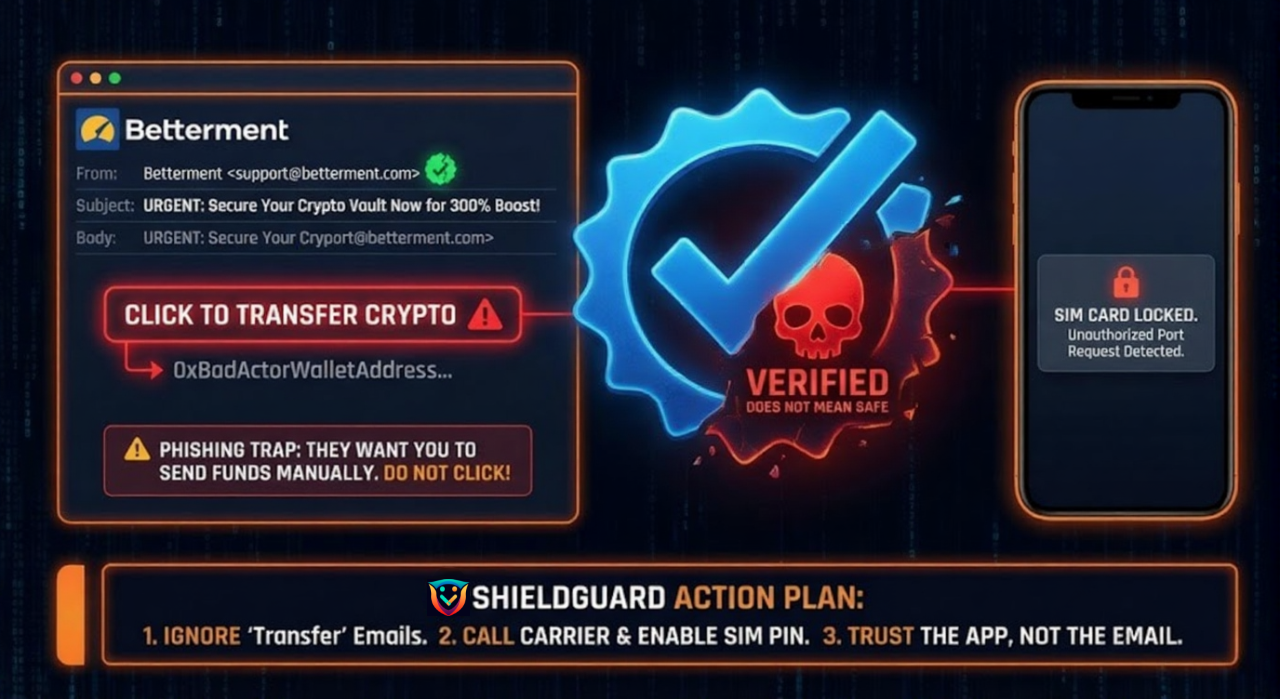
Unlike typical phishing where the email comes from a fake address (e.g., support@betterment-security.com), these fraudulent emails were sent from Betterment’s actual verified servers. This allowed them to bypass spam filters and land directly in users’ Primary Inboxes with the “Trusted Sender” badge.
Anatomy of the Attack
1. The Breach (Jan 9 – Jan 13, 2026) Attackers did not hack Betterment’s core trading engine or user vaults. Instead, they compromised a third-party marketing platform used to send newsletters and alerts. This gave them access to the email lists and the ability to send messages as “Betterment.”
2. The Lure (The “Triple Your Crypto” Lie) Users received an official-looking email with the subject line regarding a “Pre-IPO Crypto Boost” or “Value Adjustment.”
- The Promise: “Transfer your crypto assets to our new Secure Vault to receive a 300% APY boost.”
- The Trap: The email provided a Bitcoin/Ethereum address controlled by the attackers, asking users to manually transfer funds.
3. Why It Worked Because the email came from a legitimate @betterment.com domain (or its authorized sender), users’ internal “spam radar” was turned off. Trust was the vulnerability.
⚠️ The Secondary Threat: Your Phone Number is Leaked
While Betterment has confirmed that no passwords or account funds were touched, they admitted that Customer PII (Personally Identifiable Information) was exposed, including:
- Full Names
- Email Addresses
- Phone Numbers
- Dates of Birth
This creates a “Phase 2” danger effectively worse than the email itself.
The “SIM Swap” Risk
With your Name, Phone Number, and “Crypto Investor” status now sold on the dark web, attackers can call your mobile carrier (Verizon, T-Mobile, etc.) impersonating you.
- The Goal: Transfer your phone number to their SIM card.
- The Result: They intercept your 2FA SMS codes and break into your Coinbase, Binance, or Gmail accounts.
🛡️ ShieldGuard Preventive Education
This incident teaches us that you cannot trust an email solely because of who sent it. You must trust what it says.
1. The “Out-of-Band” Rule
If you receive an email from a financial app (Betterment, Coinbase, PayPal) asking you to move money or “verify” a transaction:
- DO NOT click the link in the email.
- DO NOT call the number in the email.
- Action: Close the email. Open the app directly on your phone or type the website URL manually. If the alert is real, it will be visible inside the app’s notification center.
2. The “Push” vs. “Pull” Check
Legitimate financial institutions can “pull” money from your linked bank account (via ACH). They will NEVER ask you to manually “push” (send) cryptocurrency to a random wallet address to “verify” or “boost” it.
- If you are asked to copy-paste a wallet address, it is a scam. Period.
3. Harden Your Mobile Carrier (Anti-SIM Swap)
Since phone numbers were leaked, protect your cell service immediately:
- Call your mobile carrier today.
- Ask to enable a “SIM PIN” or “Port Freeze” on your account.
- This requires anyone (even you) to provide a specific PIN code before moving your phone number to a new device.
ShieldGuard Verdict:
“The Betterment breach proves that ‘Verified’ does not mean ‘Safe.’ In 2026, your defense isn’t just a strong password—it’s the discipline to verify every request, no matter how official it looks.”
Stay shielded. ShieldGuard Protocol